
Sanctions Screening
Check against available sanctions lists, including OFAC, OFSI, UN, EU, HMT and DFAT.
Screen individuals and companies against sanctions lists, Politically Exposed Persons (PEP) data and adverse media sources. InstaCheck helps compliance teams configure matching settings, review potential matches and maintain screening records with clear, reproducible results.
Screen individuals and businesses against relevant screening sources to identify potential sanctions exposure, PEP connections and adverse media. Understand the data coverage available and the sources used for each screening category.
Check against available sanctions lists, including OFAC, OFSI, UN, EU, HMT and DFAT.

Identify potential Politically Exposed Persons and relevant categories of PEP connections.

Identify relevant negative news and media coverage associated with screened individuals and entities.

Understand which providers supply the data for each screening category.

Clear data provenance helps compliance teams understand where screening information originates and what coverage is available.
Explore Screening Coverage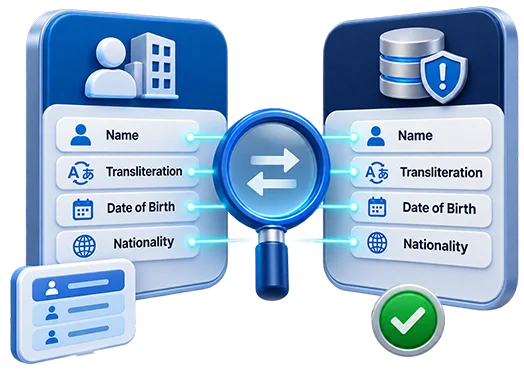
InstaCheck compares customer and company details against screening records to identify potential matches. It considers name variations, transliteration and additional identifiers such as date of birth, nationality and entity details to help distinguish similar records.
Adapt screening configurations to your organisation's requirements. Set matching thresholds, define how potential matches are evaluated and manage whitelisted entries with clear controls.

Configure matching sensitivity to determine which potential matches are returned for review.
Manage previously reviewed entries, including how they are created, scoped and when they expire.
Apply appropriate matching settings across different customer and entity types.
Use available testing or sandbox capabilities to assess matching behaviour before applying configuration changes.
A screening result should provide more than a match score. Maintain the information needed to understand how a screening result was generated and reviewed.

Record which data source and list version were used, along with the screening timestamp.

Retain the threshold and matching settings applied when the screening result was generated.

Record who reviewed and cleared a match, when the decision was made and how the result can be reproduced later.
Maintain screening evidence that helps compliance teams understand past results and support internal reviews.
See a Sample Screening Record
Connect InstaCheck screening capabilities with your existing applications and compliance workflows through API integration. Support screening requests, access matching results and connect screening outcomes with your wider operational processes.
See how InstaCheck supports sanctions, PEP and adverse media screening, configurable matching and structured screening records.